Execute Mission
Once you have created a mission, you can execute it by clicking the load button (green) at the bottom-left of each mission in the mission list.
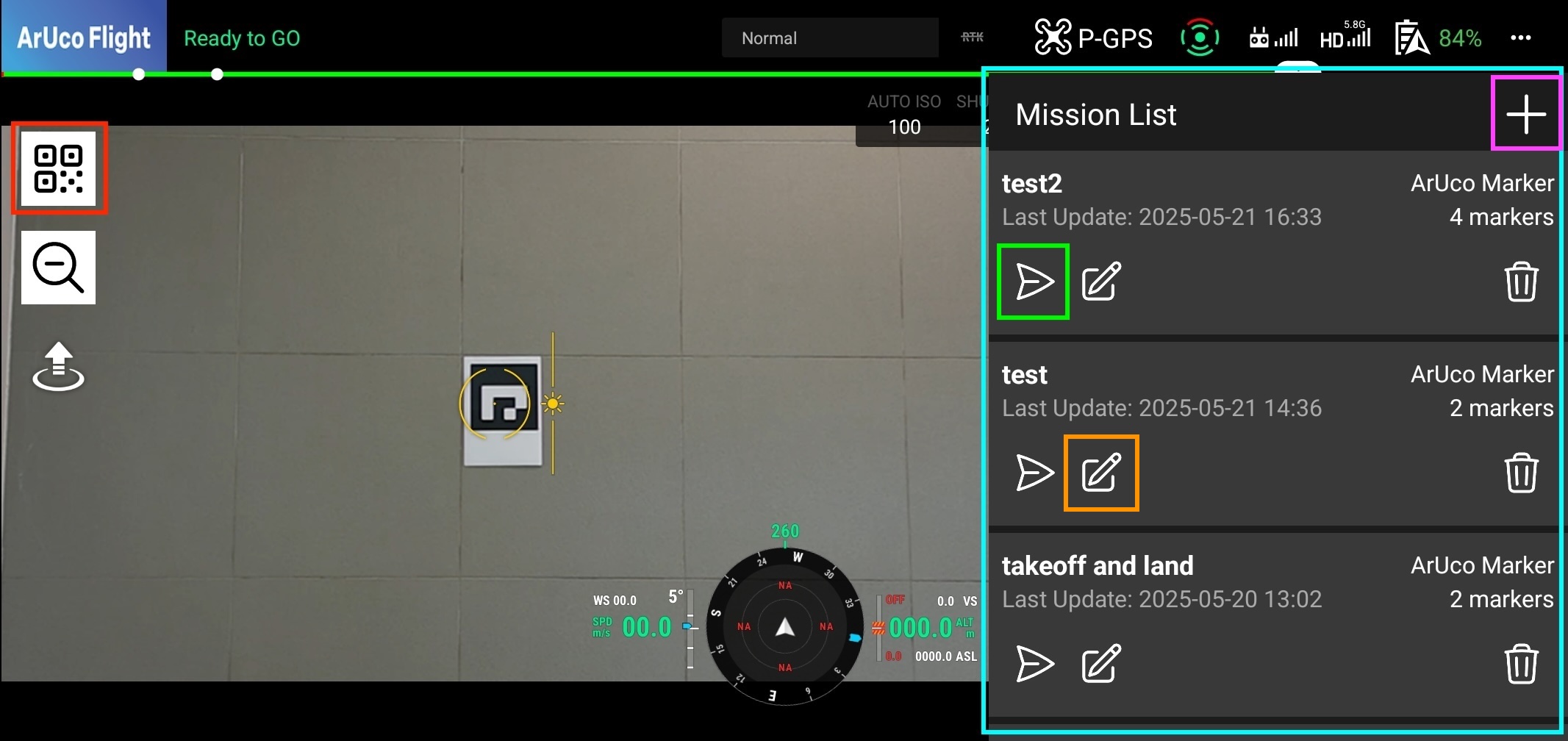
Load Mission
Click the start button in the bottom tab to start the mission. The drone will take off and begin executing the mission.
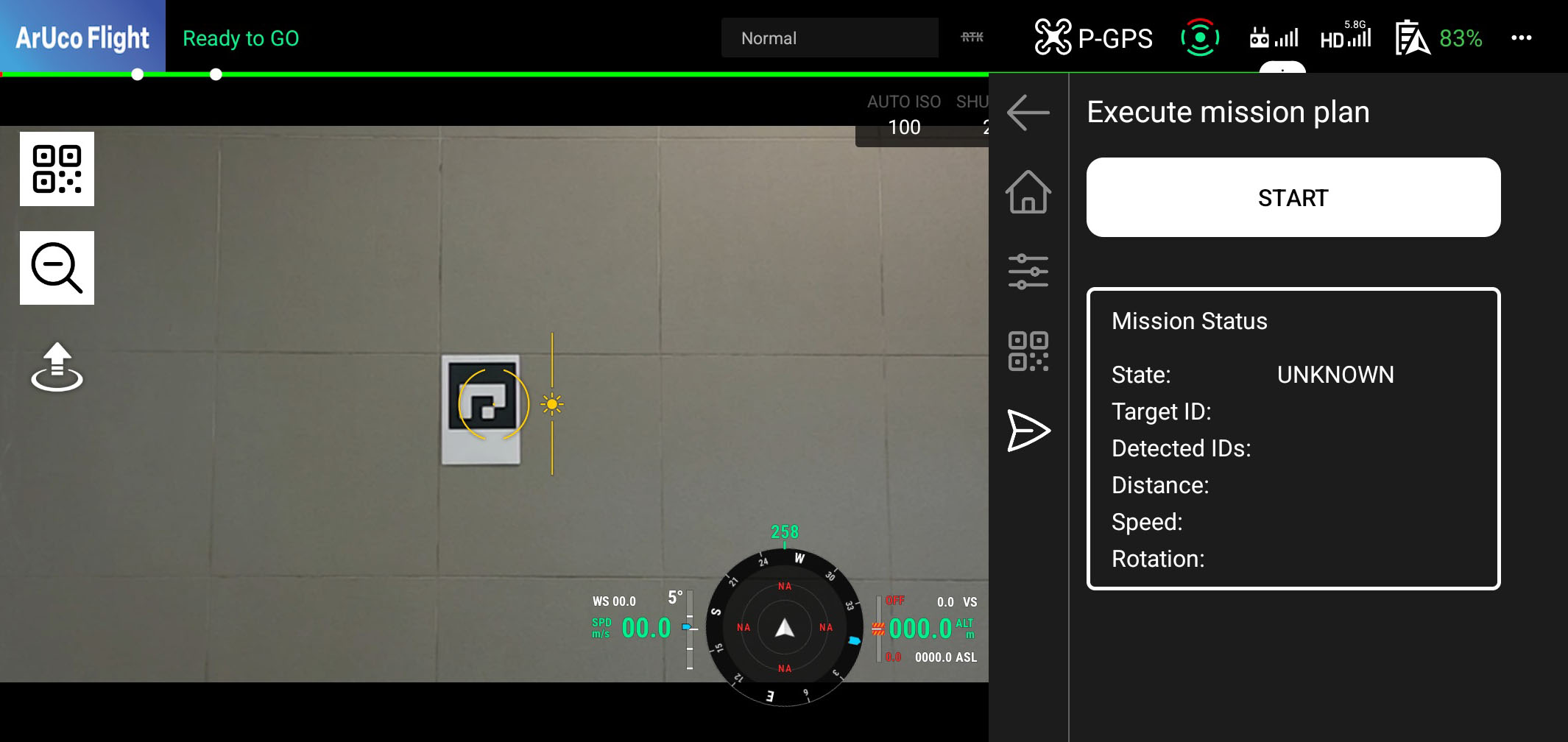
Mission Status
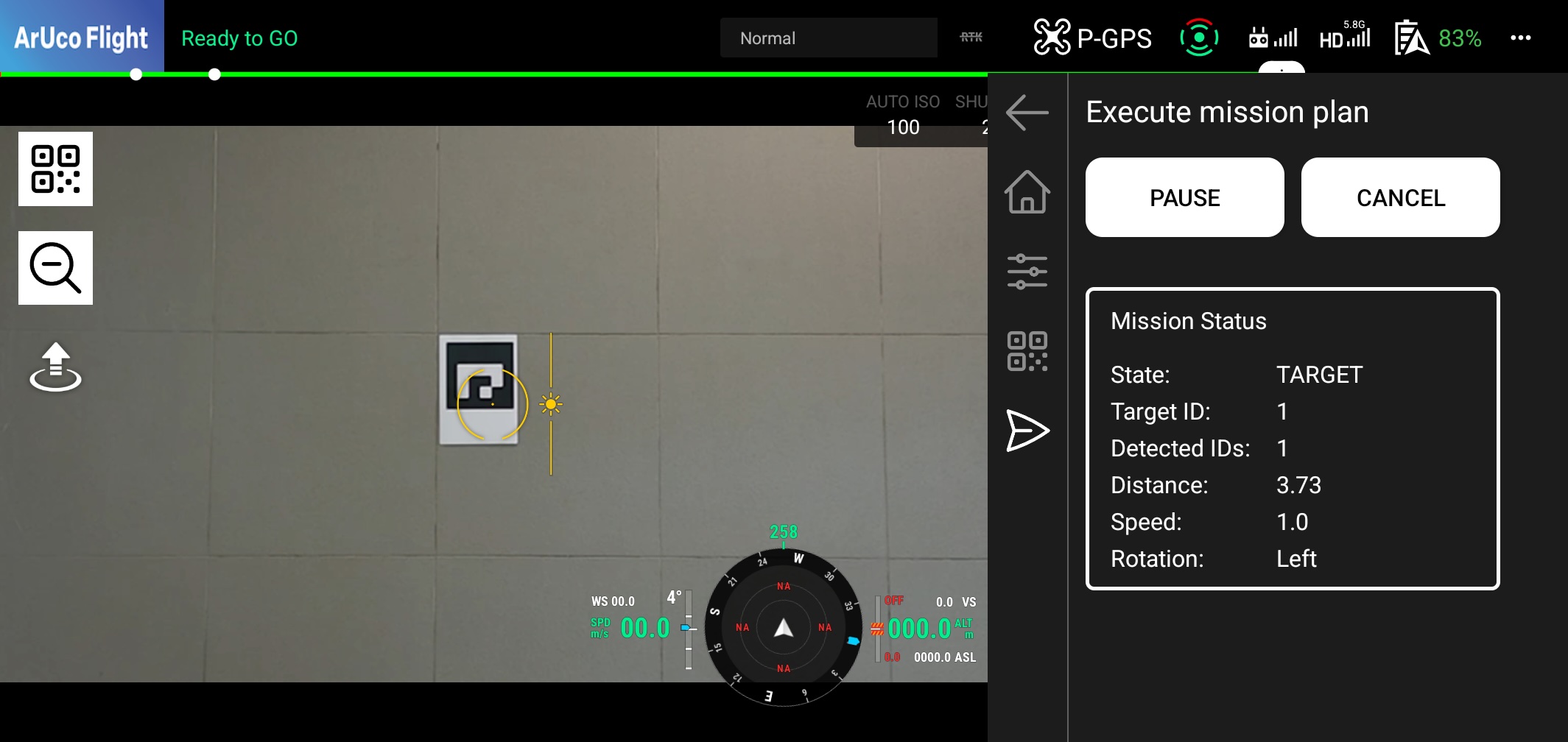
During mission execution, you can see the mission status in the form. The status will update as the drone executes each task.
Pause/Resume Mission
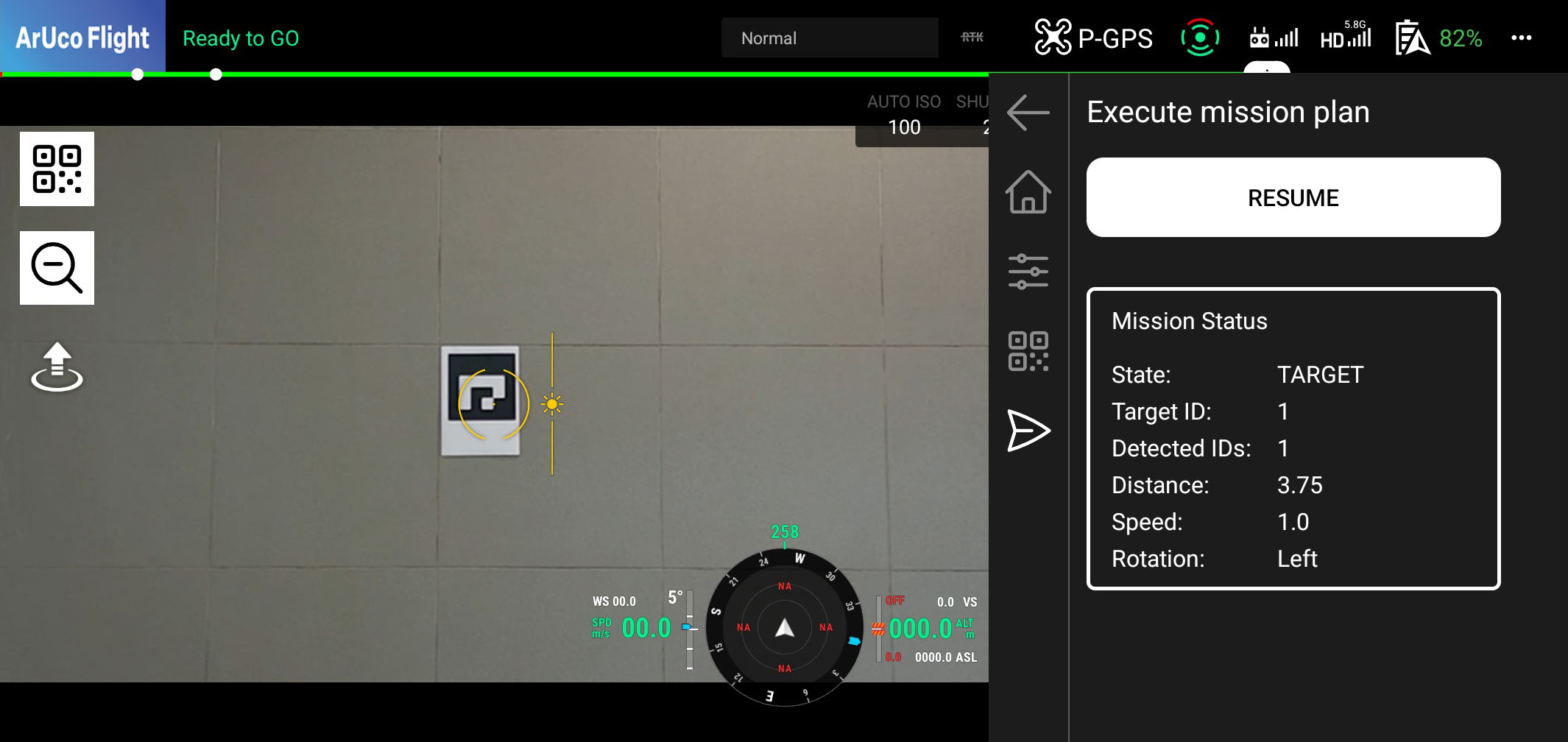
You can pause the mission by clicking the pause button in the form. This will stop the drone and allow you to resume the mission later.