Getting Started with ArUco Flight
User Interface Overview
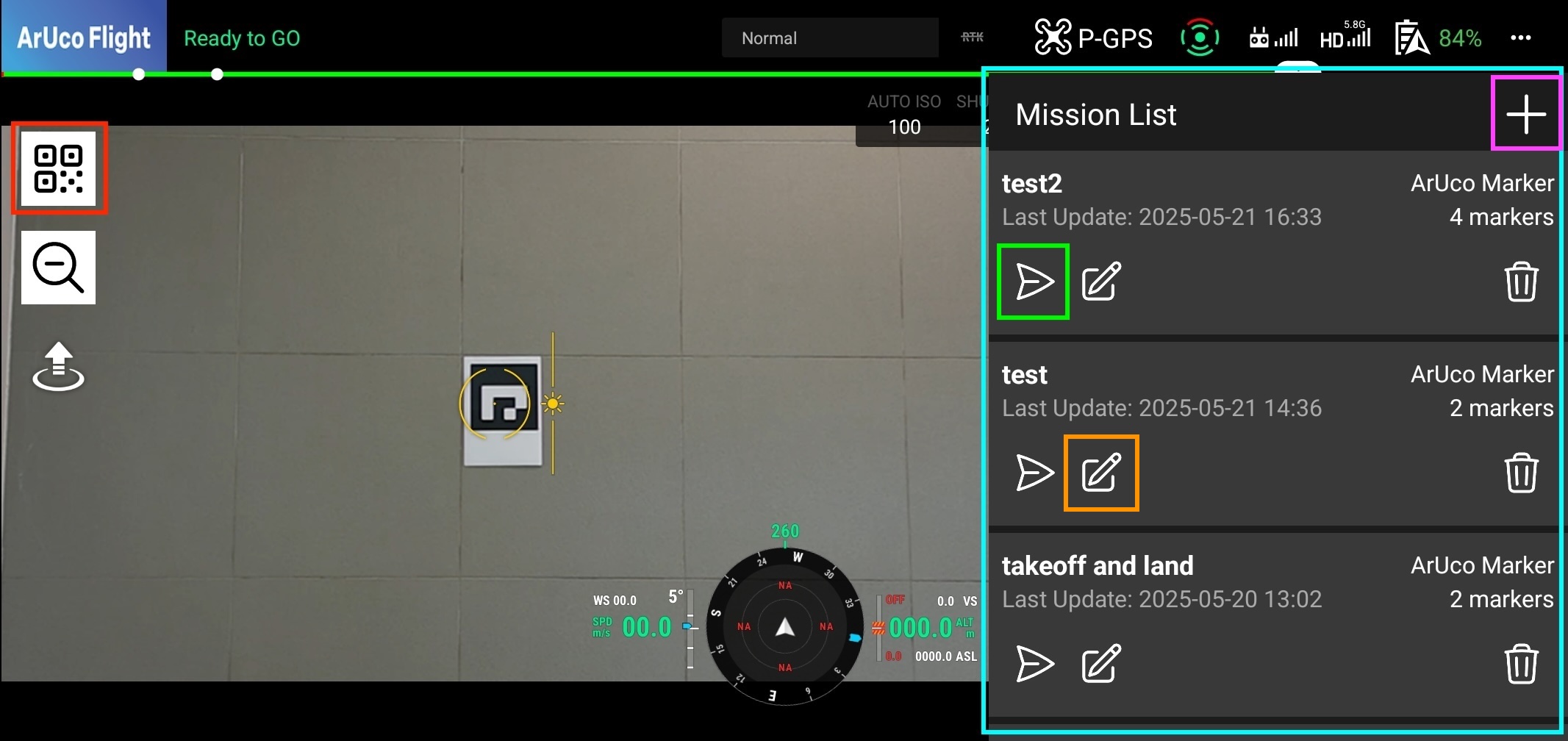
Once you enter the flight page, the user interface shown above will appear.
Mission List
The light-blue area is the mission list, where you can see the missions you have created. You can create a new mission by clicking the Plus button (purple) at the top-right of the list. You can also load an existing mission by clicking it in the list.
Create Mission
You can create a new mission by clicking the Plus button at the top-right of the mission list. This will open a new form where you can set up the mission configuration. Please refer to the Create Mission page for more details on how to set up the mission configuration.
Execute Mission
Once you have created a mission, you can execute it by clicking the load button (green) at the bottom-left of each mission. Please refer to the Execute Mission page for more details on how to execute a mission.