Safety Mode
This page explains safety mode. Safety mode adds limitations to remote drone control. It is designed to help prevent unexpected accidents and ensure safer drone operation. Safety mode is enabled by default and can be turned on or off by the onsite and offsite operators.
Turn Safety Mode On or Off
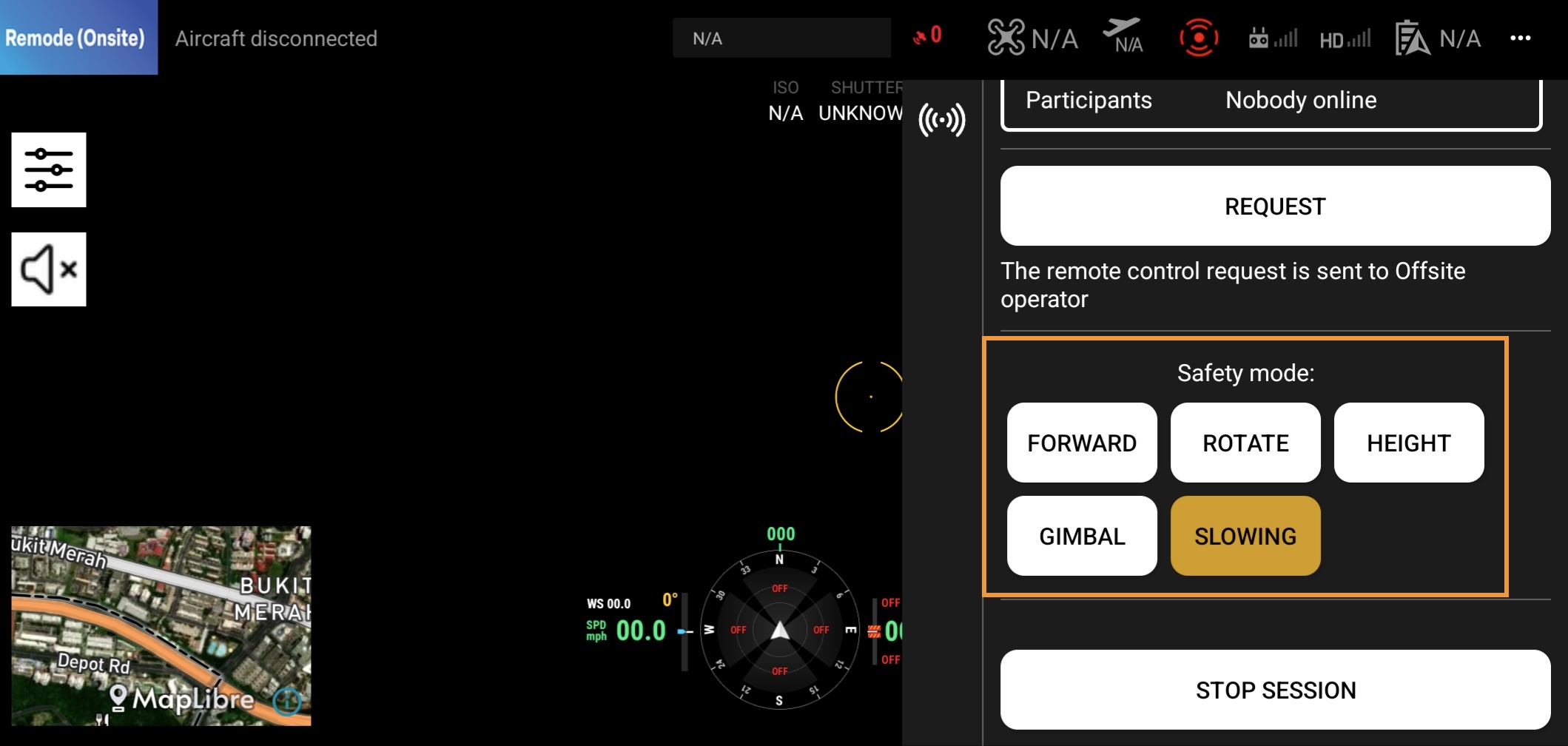
Slow Moving Mode is enabled by default. The onsite and offsite operators can turn safety mode on or off by clicking the button on the page. You can enable multiple safety modes at the same time.
Features
- Forward Mode: The drone can only fly forward. It cannot fly backward or sideways.
- Rotate Mode: The drone can only rotate.
- Height (Altitude) Mode: The drone can only fly up and down.
- Gimbal Mode: The drone can only move the gimbal up and down.
- Slow Moving Mode: The drone can only fly at a slow speed.