Remote Control Request
This page explains how to request that the remote pilot take over control of the drone. The onsite and offsite operators can send and accept requests. The remote pilot can control the drone using the joystick once permission is granted.
Request Button
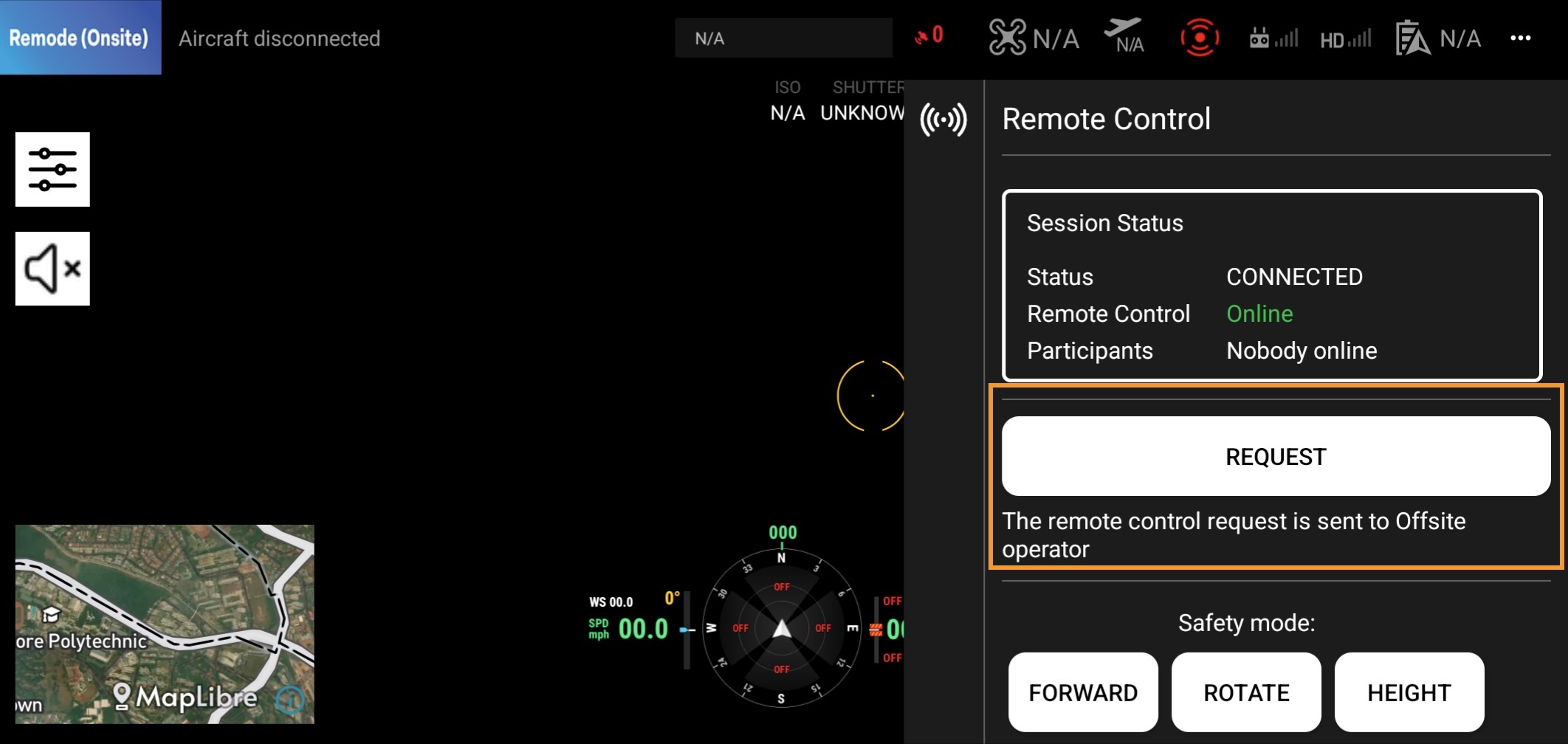
Both the onsite and offsite operators can send a request to the other operator to grant control of the drone.
Please click the "Request" button to request remote control access and take over control of the drone.
Accept Request
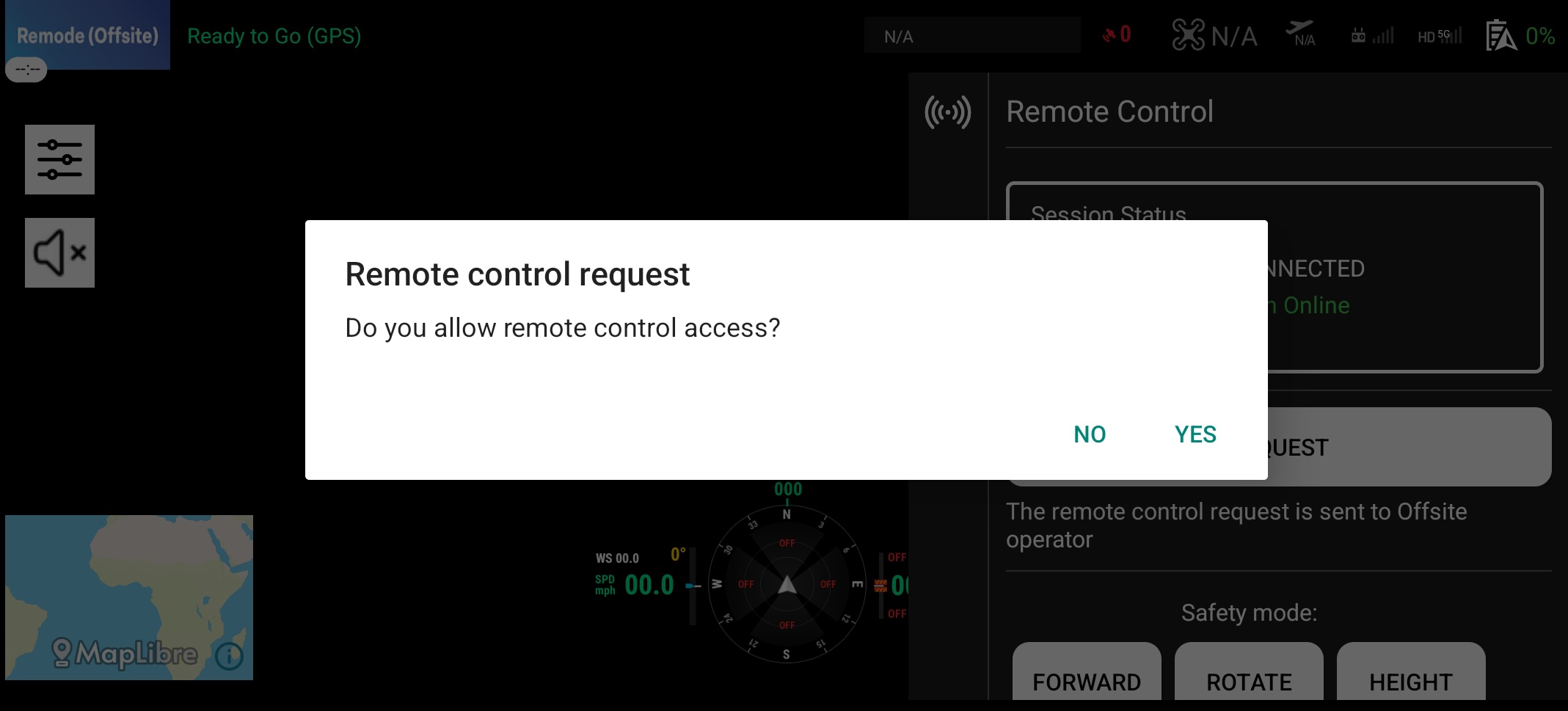 Once the request is sent, the other operator will see the following screen. The operator can accept or reject the request.
Remote Control Mode
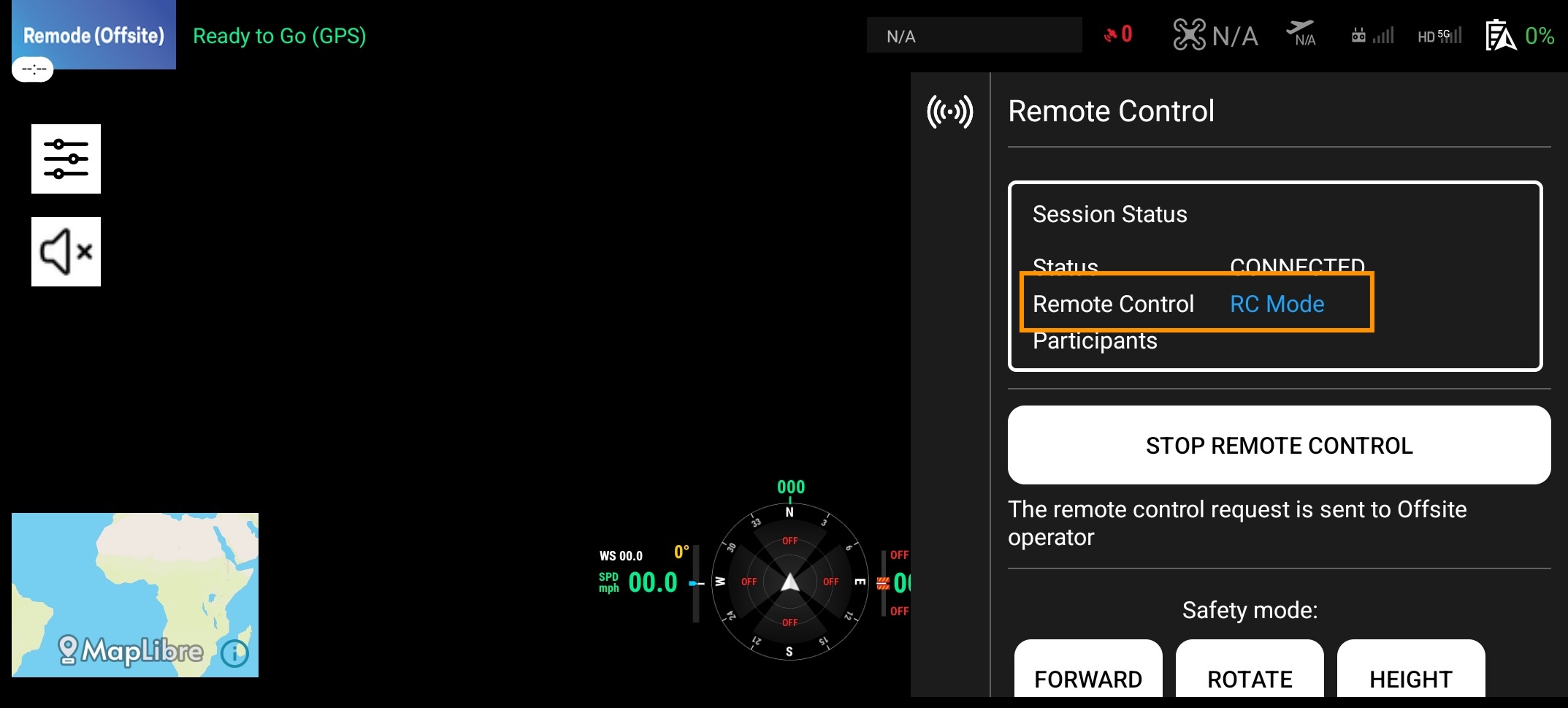
Once the request is accepted, Remote Control mode in the session status view changes to "RC Mode" in blue. The remote pilot will be able to control the drone using the joystick.
Stop Remote Control
Please click the "Stop" button to stop remote control. The remote pilot will not be able to control the drone using the joystick once remote control is stopped. The remote pilot can request remote control again.
Emergency Takeover
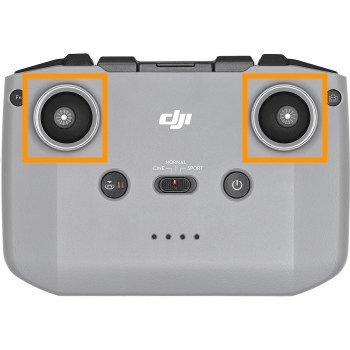
The onsite operator can immediately take over control of the drone in an emergency by moving the joystick. The remote pilot will not be able to control the drone using the joystick once the emergency takeover is complete. The remote pilot can request remote control again.